Graph-first, not slide-first
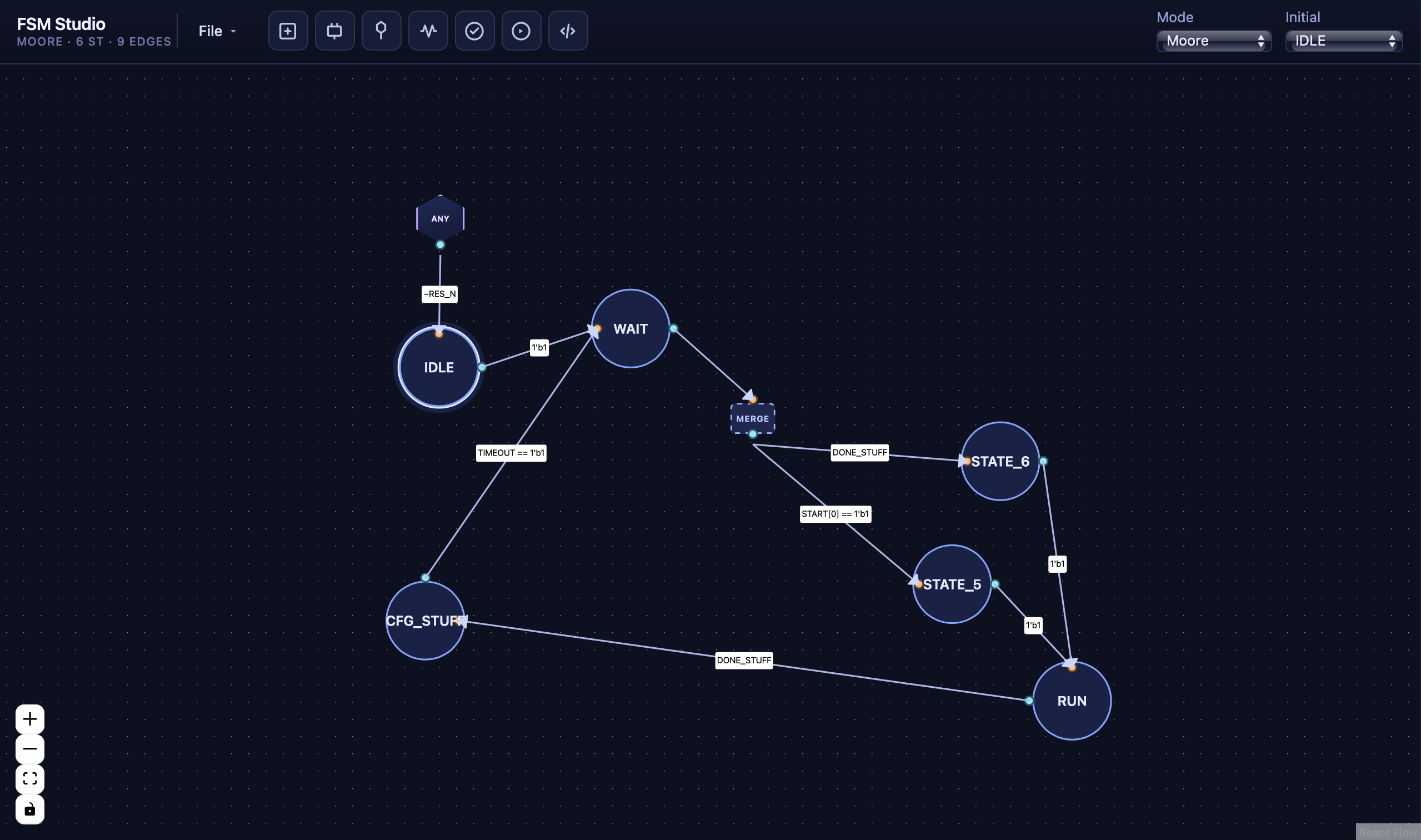
Add states, wire transitions, and reshape connections with bend handles. The diagram stays the center of gravity—no fighting a generic diagram tool.
Visual FSM editor · FPGA / ASIC workflows
Draw states and transitions, write Verilog-style conditions and outputs, then step cycles in simulation and peek at generated Verilog—all in one focused workspace.
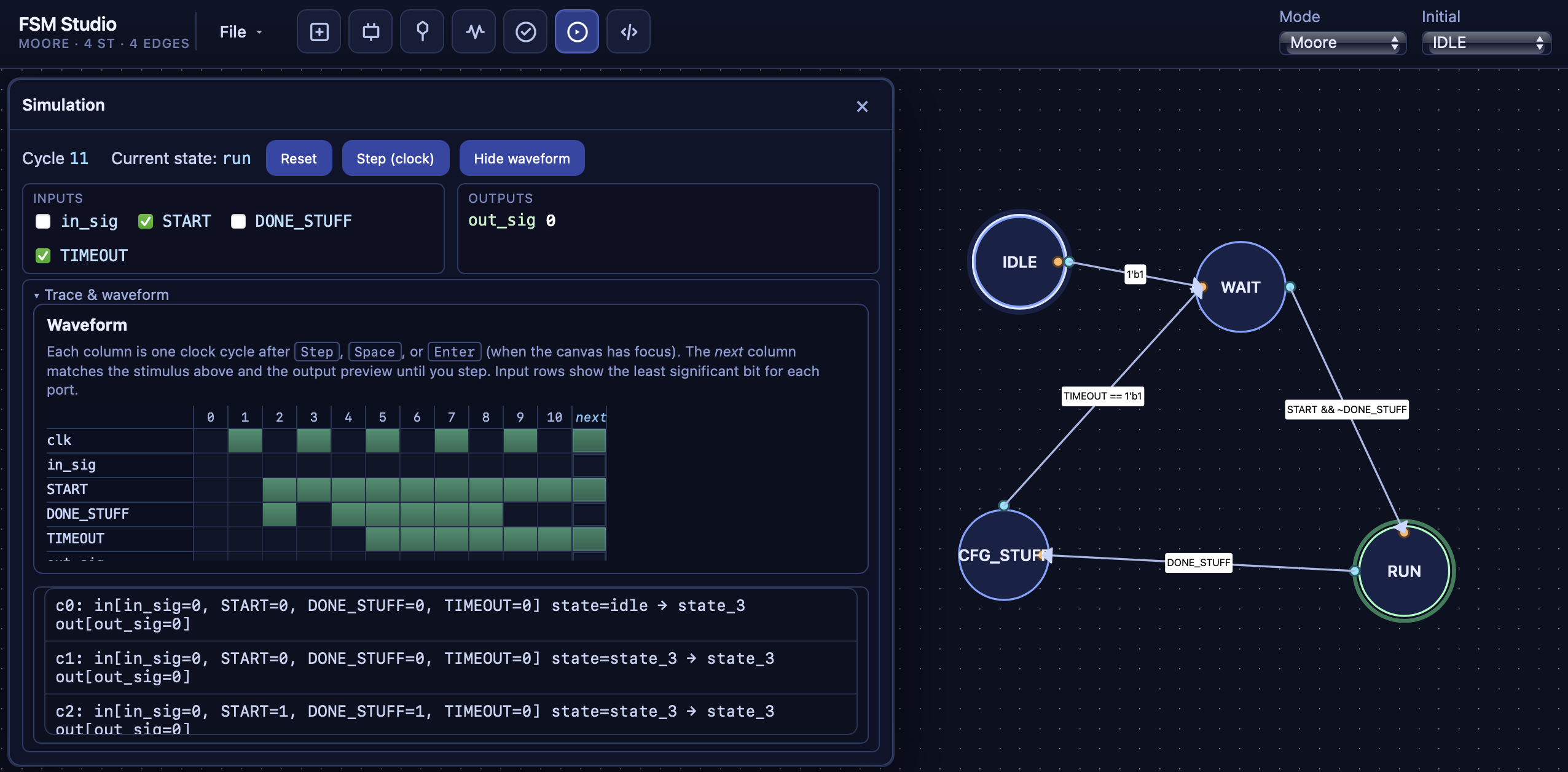
Add states, wire transitions, and reshape connections with bend handles. The diagram stays the center of gravity—no fighting a generic diagram tool.
Switch modes and edit state outputs (Moore) or transition outputs (Mealy) in a dedicated inspector. The tool stays honest about what each paradigm means.
Guards and outputs use expressions that fit a hardware mental model—including multi-output assignments when you need them. Static checks catch issues before you export or simulate.
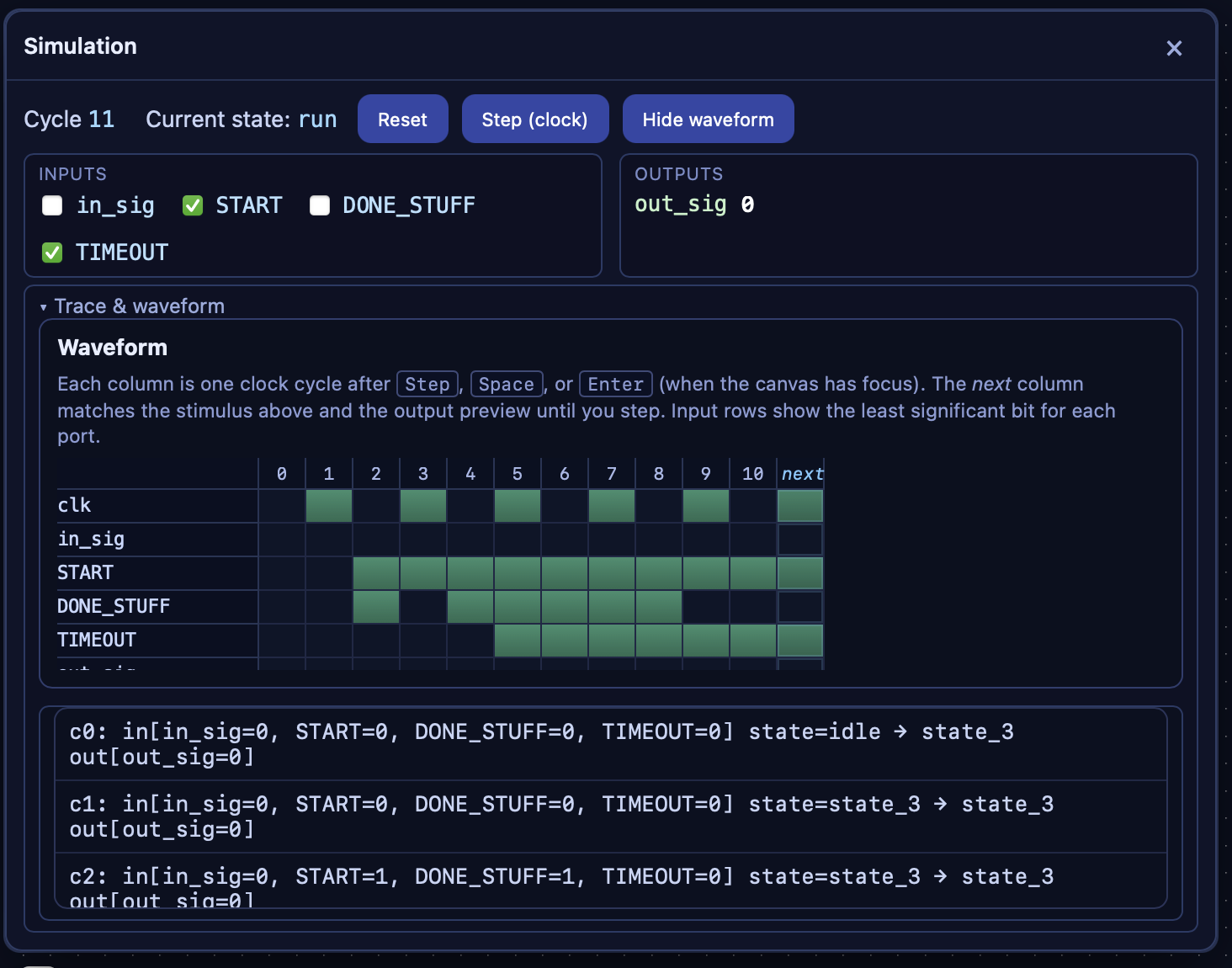
Turn on Simulation mode, drive inputs per cycle, and advance with Step (or keyboard shortcuts). The canvas highlights current state, next-state preview, and firing transitions so behavior isn't abstract—it's visible.
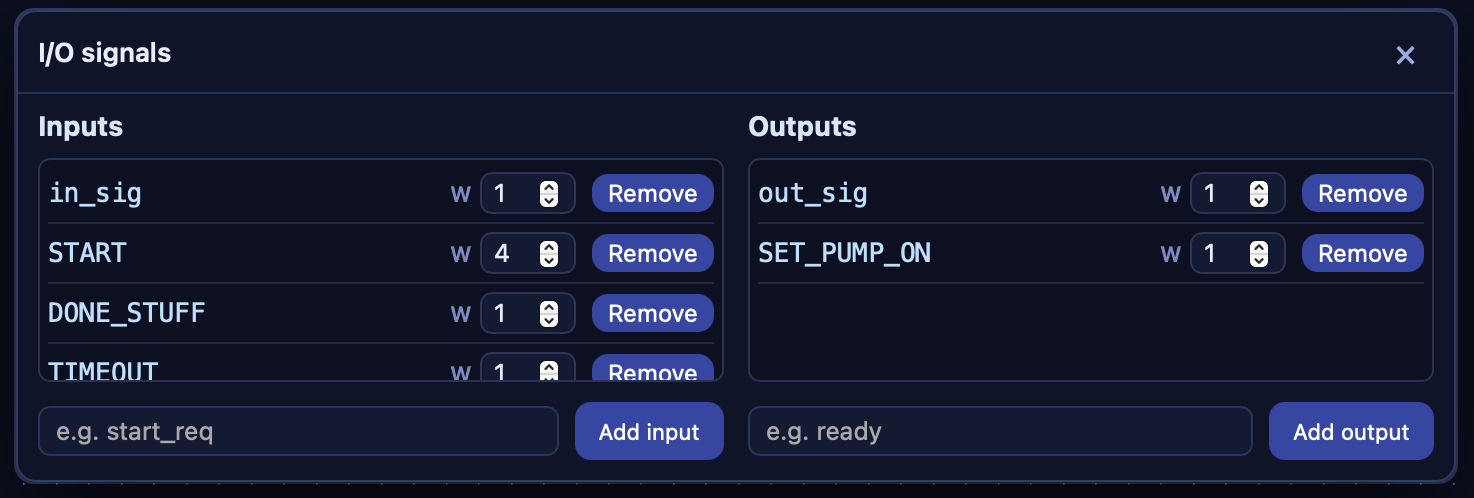
Define inputs and outputs with names and bit widths (1–256). Reorder ports with a simple drag interaction. Your diagram, conditions, and Verilog preview stay aligned to the same signal list.
Built-in static analysis helps you find incomplete or inconsistent FSM structure before you rely on it in a larger design. Less thrashing between tools; more confidence in the graph you're about to hand off or implement.
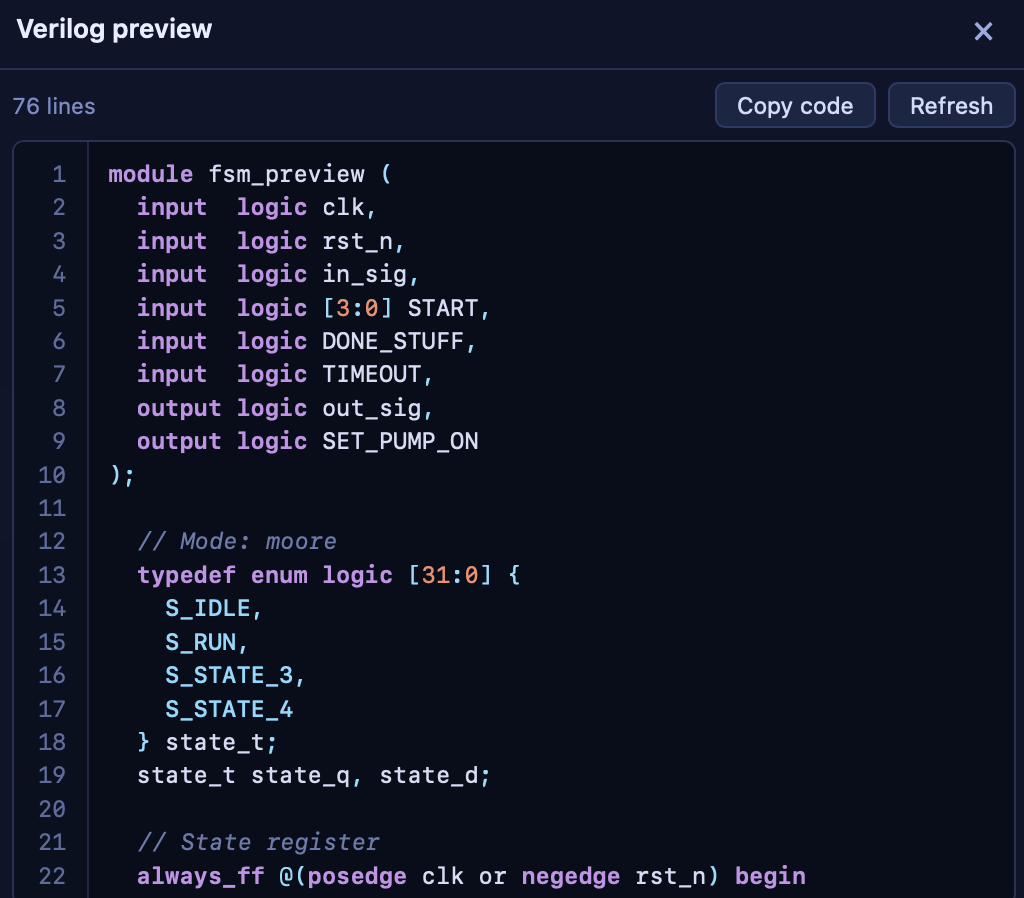
Open a Verilog preview generated from your project so you can sanity-check naming, case structure, and how Moore outputs map into always_comb style logic. Scope and completeness of codegen may evolve; think of it as a preview and starting point, not a full synthesis replacement.
Projects persist as structured files (JSON). On desktop, use the native file dialog to open and save—your FSMs belong in your repo or project folder, not only in a browser tab.
Model merge hubs and global-condition constructs when your control story isn't only one guard per edge. The editor explains how those edges behave in checks, simulation, and codegen—so the diagram stays expressive without hiding semantics.
FSM Studio is built as a fast desktop-class app (React + TypeScript UI, Tauri + Rust engine path) so interaction, simulation, and checks stay responsive as graphs grow.
Distribution (Mac / Windows / Linux), installers, and pricing are not finalized—this CTA is a placeholder for when builds ship.
FSM Studio — visual finite-state machine editor and simulator for people who think in states, guards, and hardware-style outputs.
Back to home